A Workspace in Taskip is the central place where you manage your projects, clients, tasks, and team collaboration. You can create multiple workspaces depending on your subscription plan to organize different teams, businesses, or workflows.
- Log in to your Taskip account.
- From the top-left corner of the dashboard, click the workspace switcher (arrow icon) next to the current workspace name.
- In the dropdown menu, click Create New Workspace.
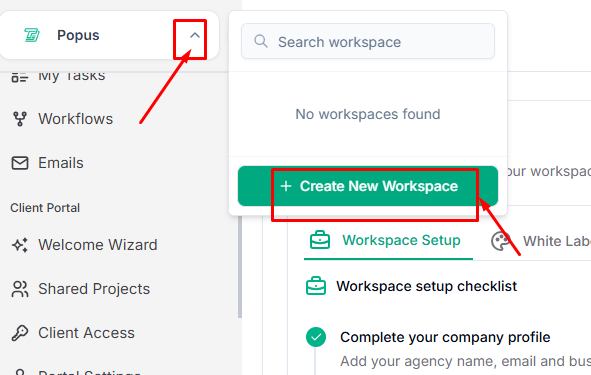
4. In the Create Workspace window, enter the required details:
- Workspace Name – The name of your workspace or team.
- Workspace URL – A unique URL that will be used to access your workspace.
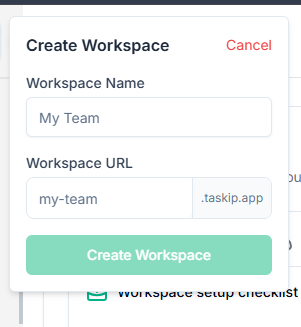
5. Click Create Workspace to finish the setup.


