Page Settings in Taskip let you customize authentication and invitation pages to match your branding. You can update titles, descriptions, colors, and images for a consistent, professional look across your workspace.
Page Settings Configuration
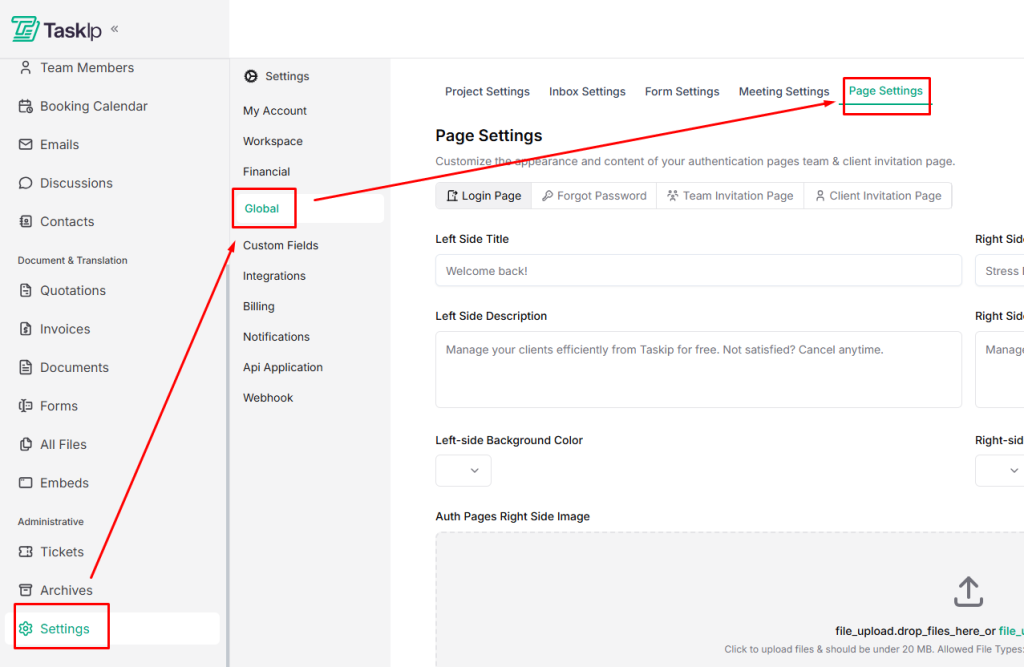
- Go to Settings → Global → Page Settings
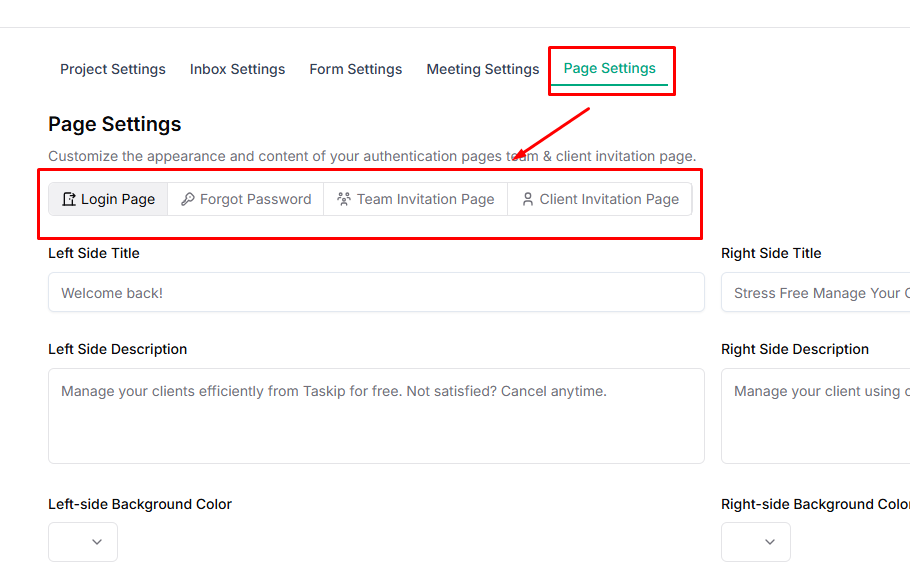
- Select the page type you want to customize:
- Login
- Forgot Password
- Team Invitation
- Client Invitation
- For each page, you can:
- Edit Titles and Descriptions for the left and right side
- Set background colors
- Upload custom images
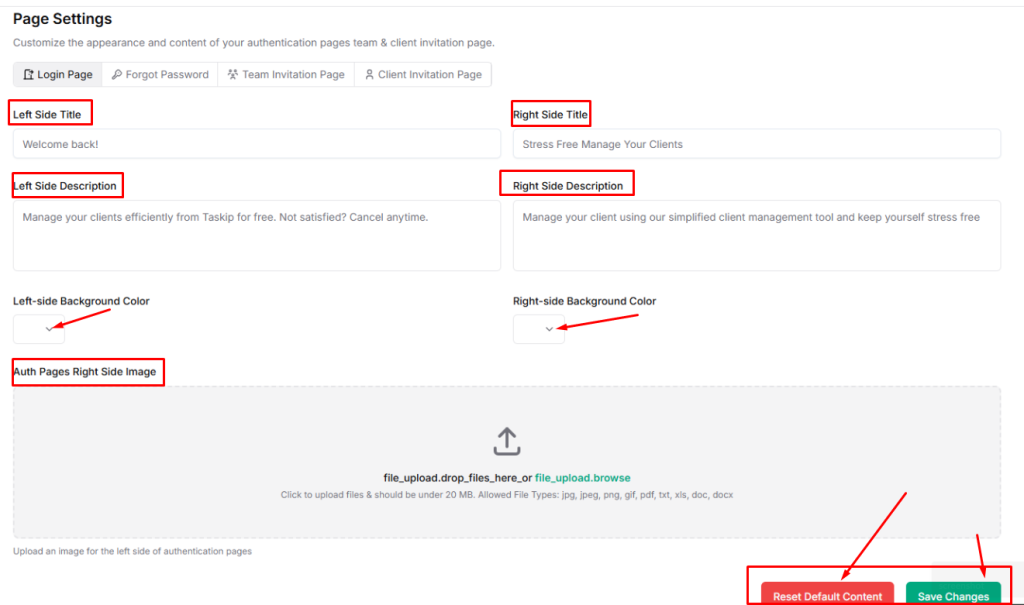
- Click Save Changes to apply updates, or Reset Default Content to revert to the original design.
| 💡 Tip: Customizing these pages ensures a consistent and professional experience for both team members and clients. |


