Quotation settings in Taskip allow you to manage how quotations are numbered, choose templates, set up reminders, and add default notes.
Proper configuration ensures your quotations remain professional, consistent, and easy for clients to understand.
Navigation Path #
Settings → Quotation→ Invoice → General / Reminder / Template / Note
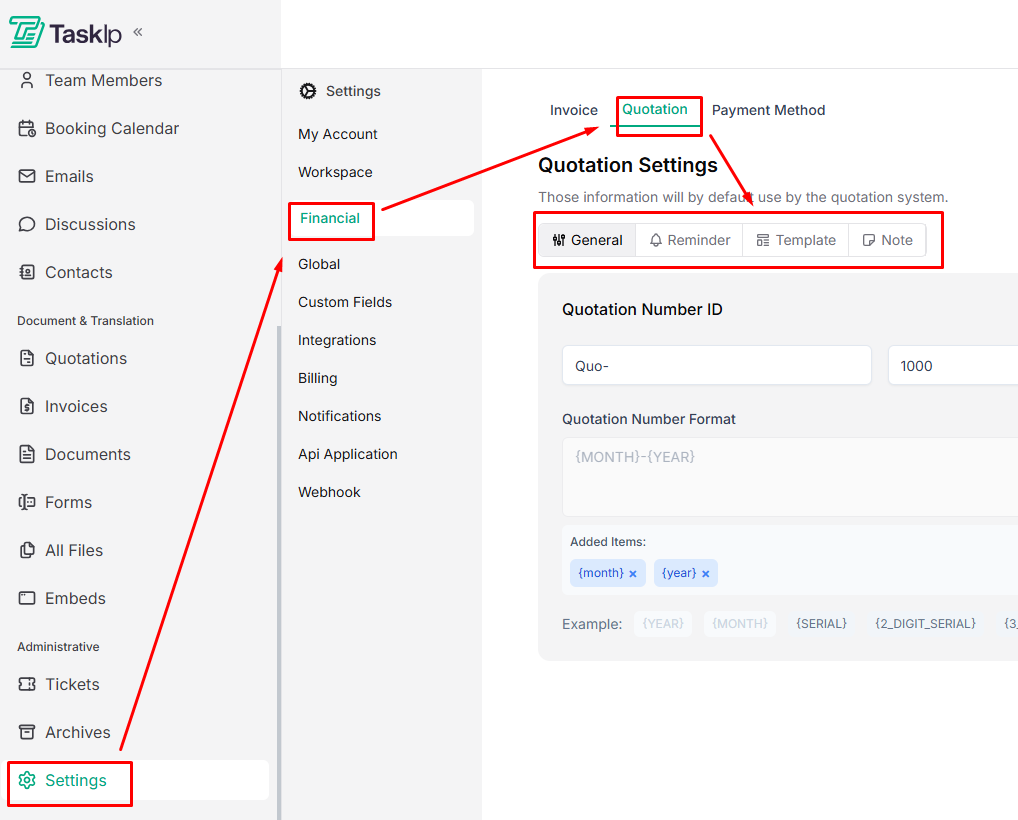
The process of configuring quotation numbering format, reminders, templates, and notes is the same as setting up invoices.
General #
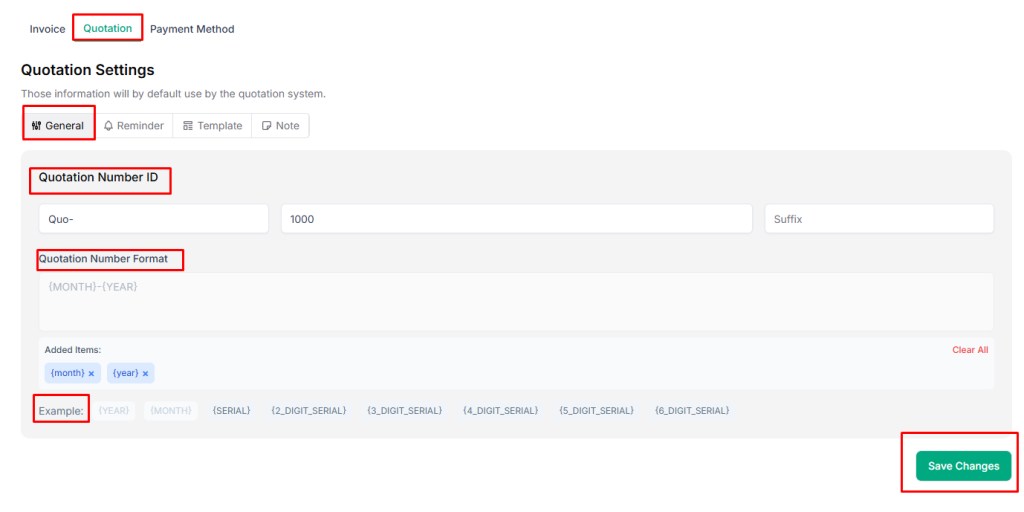
- Go to the General tab.
- Customize your Quotation Number ID using format tokens.
Available tokens:
- {year} – Current year
- {month} – Current month
- {serial} – Incremental number
- {2_digit_serial} through {6_digit_serial} – Serial numbers with fixed digits
- Preview your format in the Example field to see how your quotation numbers will appear.
| 💡 Tip: Use a consistent numbering format for easy tracking and reporting. |
Reminder #
- Switch to the Reminder tab.
- Click Add Reminder to create a payment reminder.
- Enable the Reminder toggle.
- Specify the number of days before the due date to send the reminder.
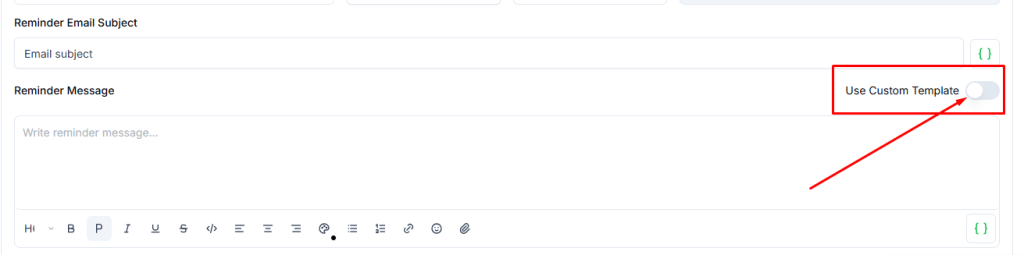
- Customize the email subject and message.
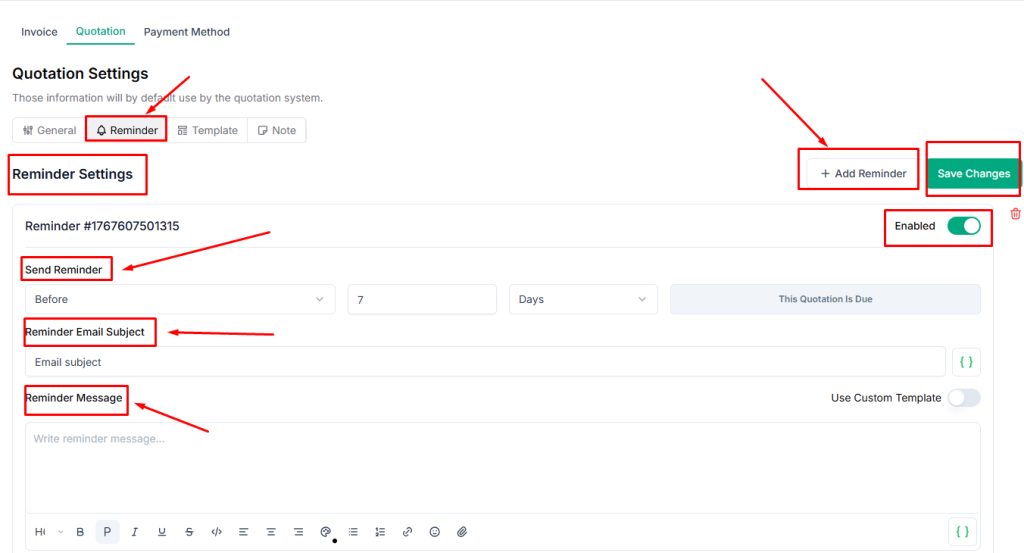
- Optionally, select a custom template:
- Quotation Due Reminder
- Quotation Send
| 💡 Tip: Sending reminders before the due date helps reduce overdue payments. |
Template #
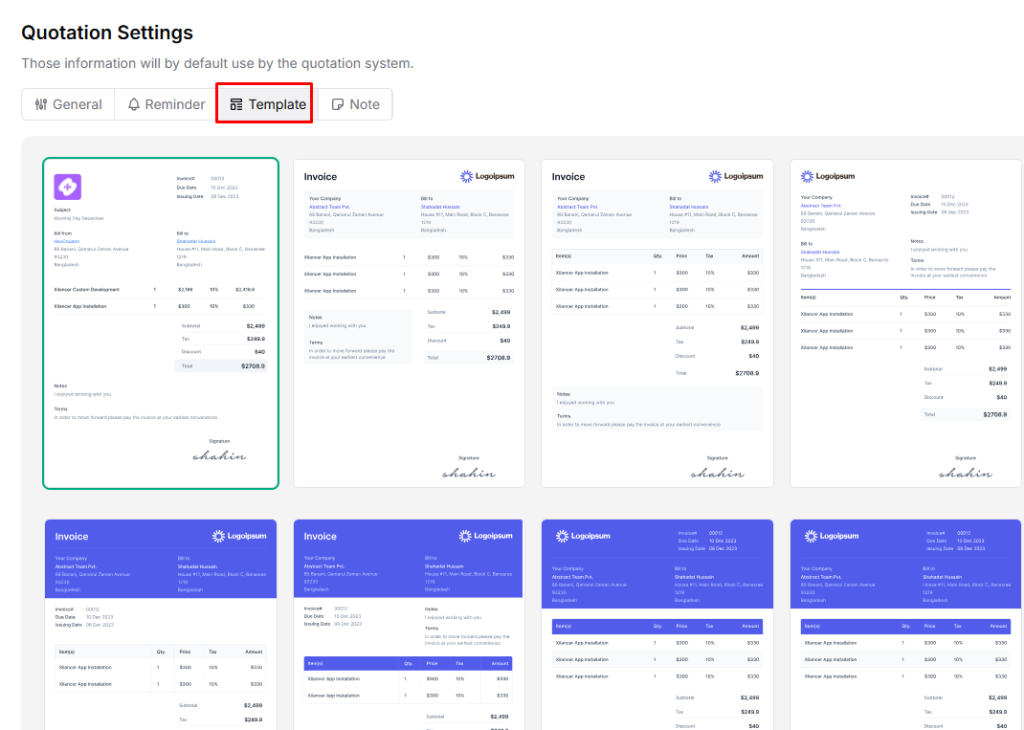
Switch to the Template tab and select your preferred invoice template.
Note #
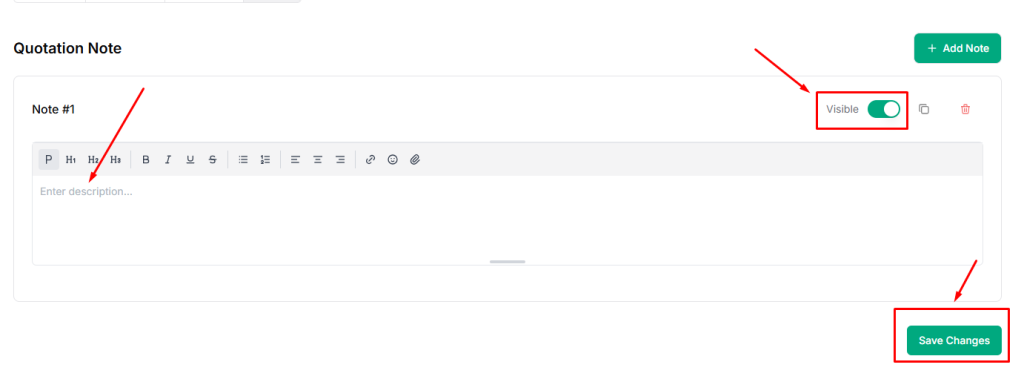
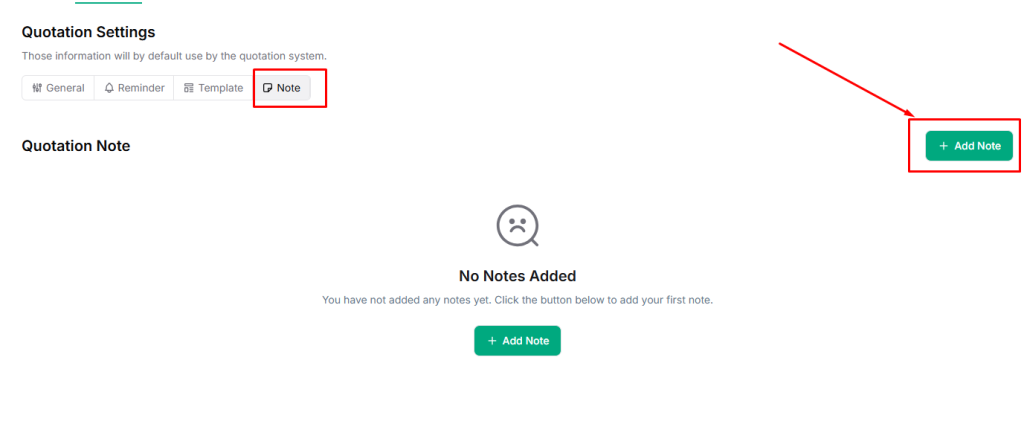
- Go to the Note tab.
- Click on Add Note.
- Add default notes that should appear on all quotations (e.g., payment terms, policies, or additional instructions).
- Enable the Visible option and click Save Changes.