Notification settings let you decide how and when you’re informed about activities in your workspace.
You can enable or disable email and mobile push notifications for specific events, helping you stay updated without unnecessary distractions.
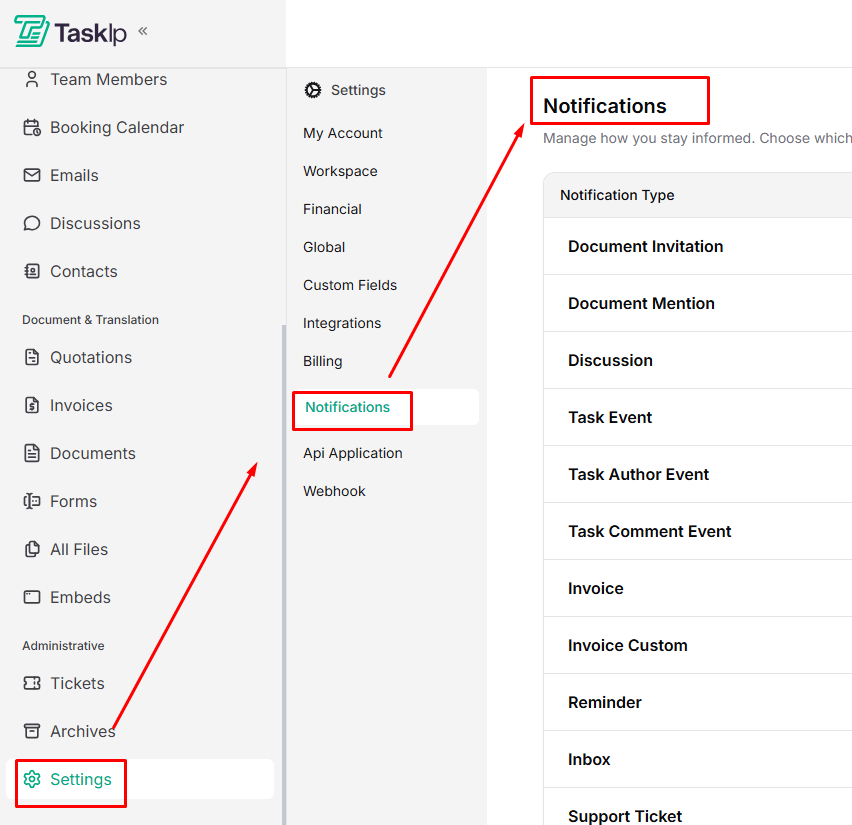
Navigation Path #
Settings → Notifications
Configuring Notifications #
- Open Settings and go to Notifications.
- Review the notification types grouped by category.
- For each notification:
- Toggle Mobile to receive push notifications.
- Toggle Email to receive email alerts.
- Toggle Mobile to receive push notifications.
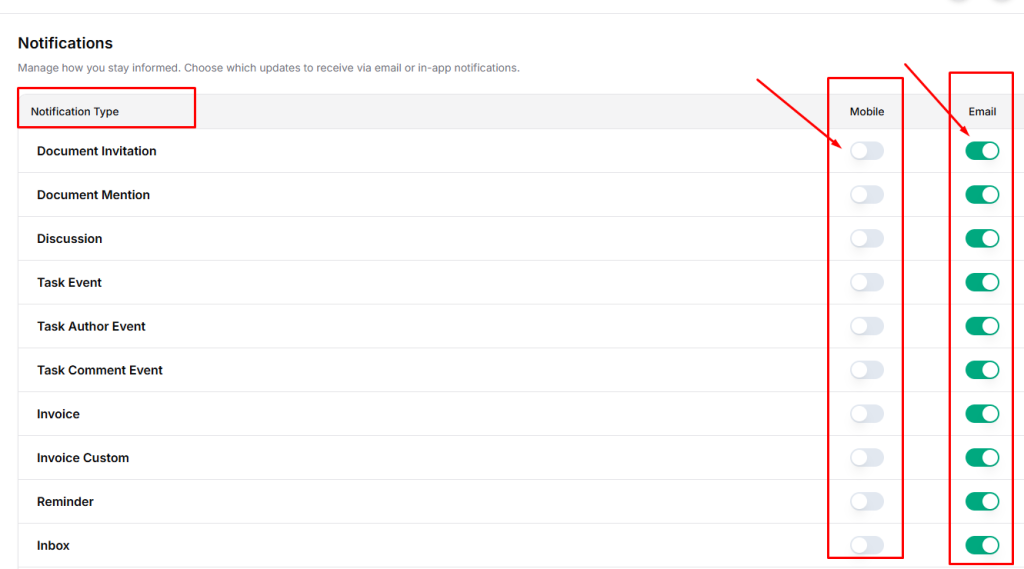
- Changes save automatically as you toggle each option.
Available Notification Categories #
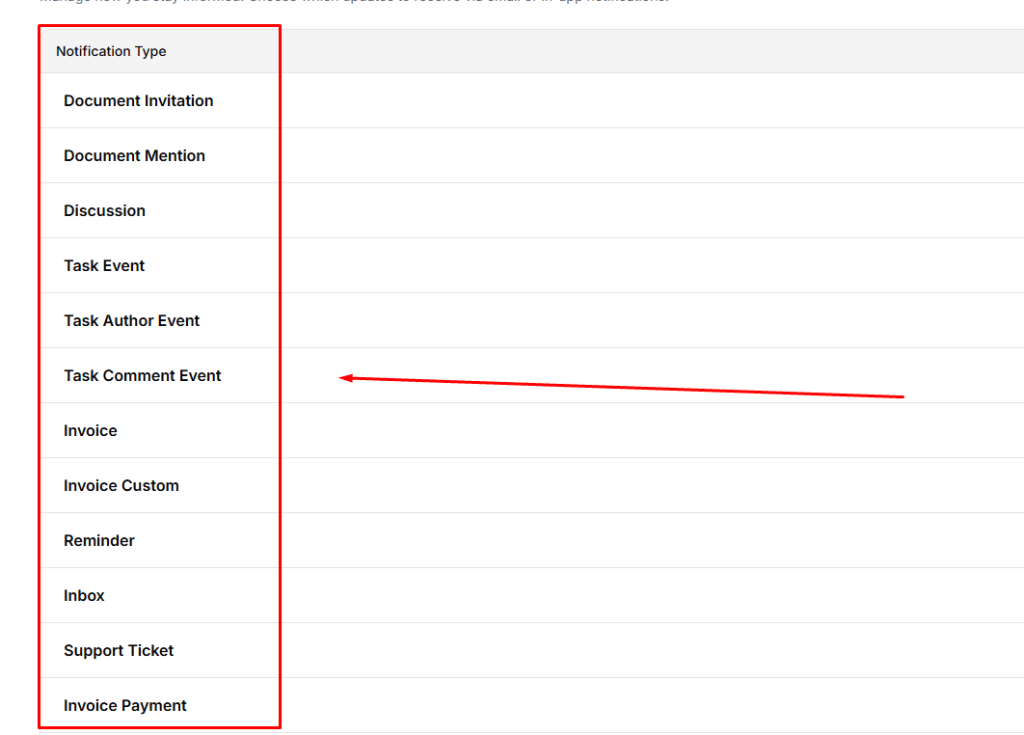
| Category | Notification Types |
| Documents | Invitation, Mention |
| Collaboration | Discussion |
| Tasks | Event, Author Event, Comment Event |
| Invoices | Invoice, Custom, Payment, Payment Success |
| Communication | Reminder, Inbox, Support Ticket |
| Meetings | Booking |
| Forms | Submission |
| Projects | Task Assign, Task Complete, Priority Change, Manager Assign, Discussion Message, Task Comment |
| Team | Client Join, Team Member Join |
| Sales Pipeline | Task Reminder, Task Assign, Deal Assigned, Deal Meeting Reminder |
| System | Error Notification |
| Tips * Enable email notifications for critical updates such as invoice payments and system errors. * Use mobile notifications for time-sensitive actions like task assignments and meeting bookings. * Fine-tuning notifications helps maintain focus while staying informed. |


