The Billing section lets you securely manage your Taskip subscription, review usage limits, and track billing details.
From here, you can monitor your current plan, upgrade your subscription, and understand how your workspace resources are being used.
Navigation Path #
Settings → Billing
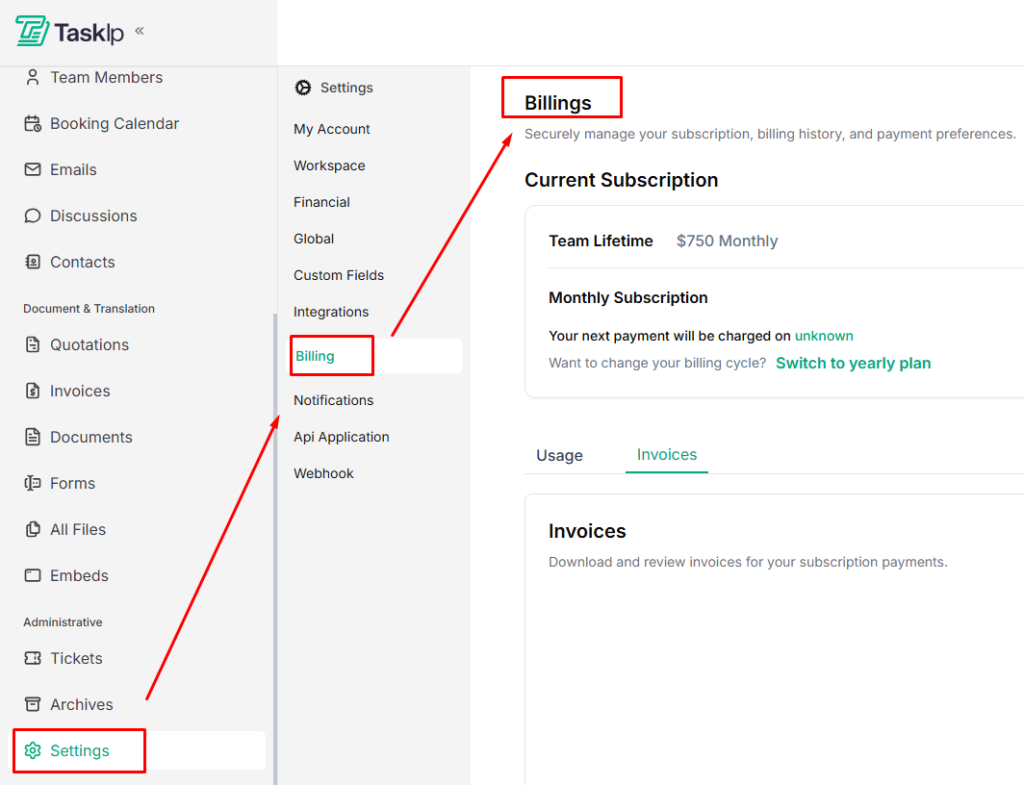
Current Subscription #
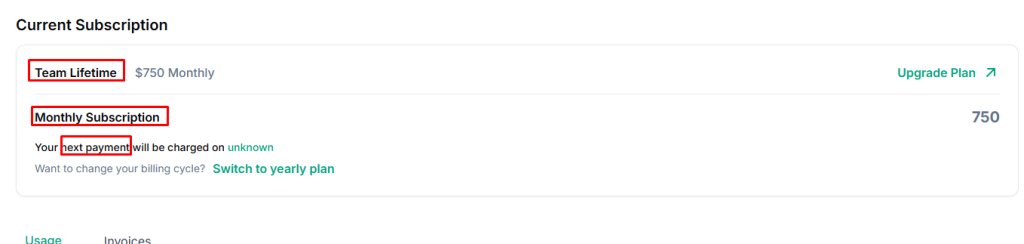
This section displays details of your active plan, including:
- Plan Name (e.g., Team Lifetime, Monthly Subscription)
- Price and billing cycle
- Next Payment Date (if applicable)
Change Billing Cycle #
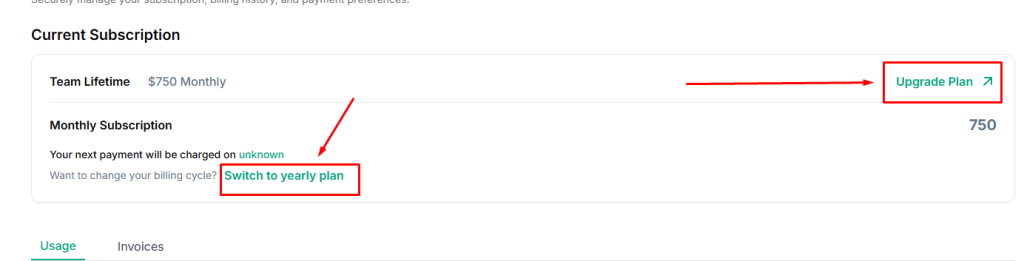
If you want to update how you’re billed, use this option to switch your subscription plan.
- Click Upgrade Plan to explore available options
- Click Switch to yearly plan (or monthly) to change billing frequency
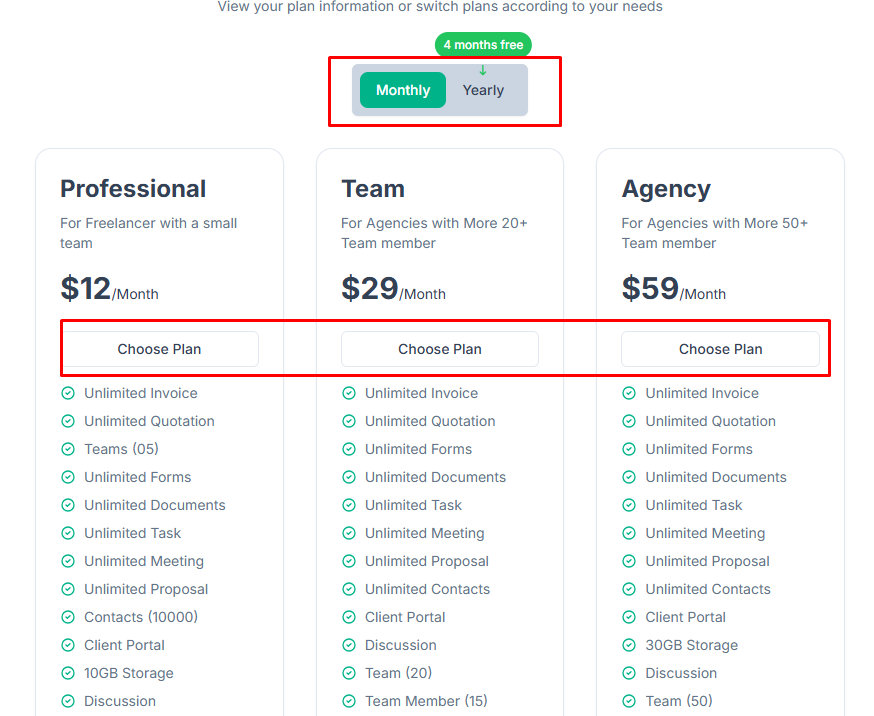
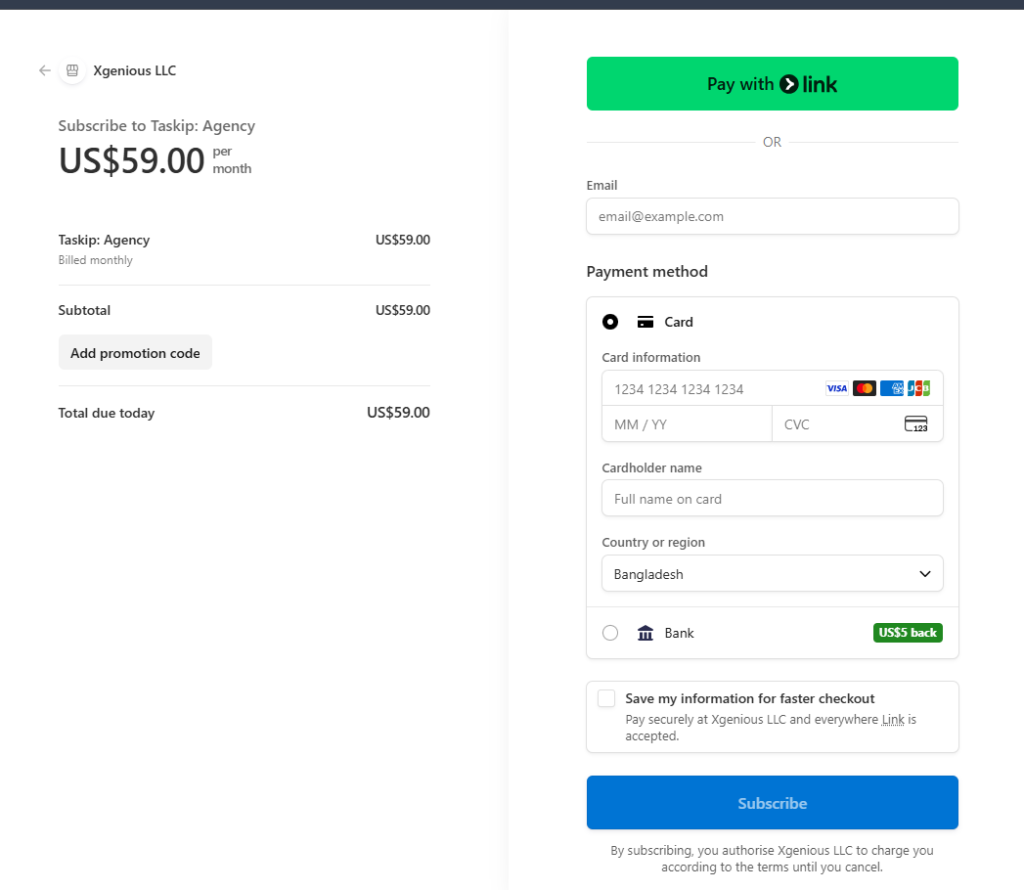
- Select a plan or upgrade you want by clicking Choose Plan.
- Provide all the required information, complete payment, and click Subscribe for confirmation.
Usage Overview #
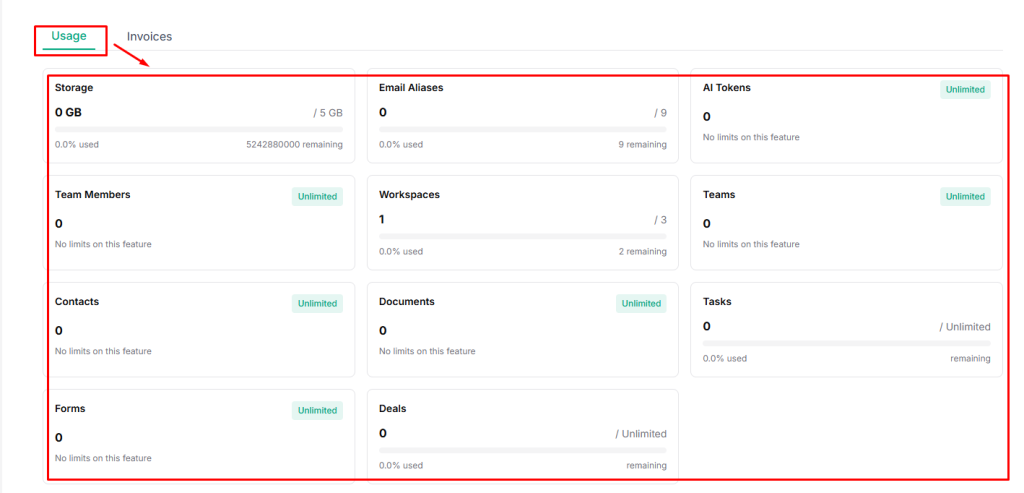
The Usage section provides a real-time overview of how much of your plan’s resources you’ve used and what remains available.
It includes:
- Storage — File storage used vs. available
- Email Aliases — Connected email addresses
- AI Tokens — AI feature usage (may be unlimited)
- Team Members — Active team member count
- Workspaces — Workspaces created vs. limit
- Teams — Team count
- Contacts — Stored contacts
- Documents — Created documents
- Tasks — Active tasks
- Forms — Created forms
- Deals — Sales pipeline deals
Viewing Invoices #
You can access and manage your billing history directly from the Invoices tab.
- Go to the Invoices tab in Billing.
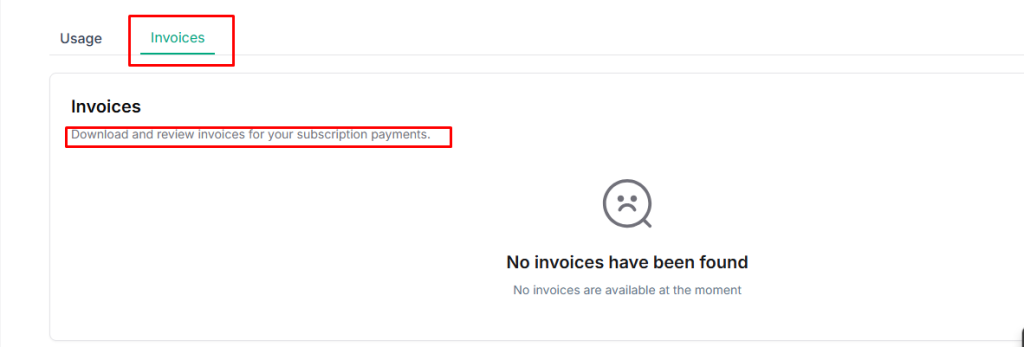
- View your complete invoice history
- Download invoices for your records or accounting purposes


