The Overview tab provides a snapshot of project health, task distribution, and team productivity. Use this dashboard to quickly assess project status and identify bottlenecks.
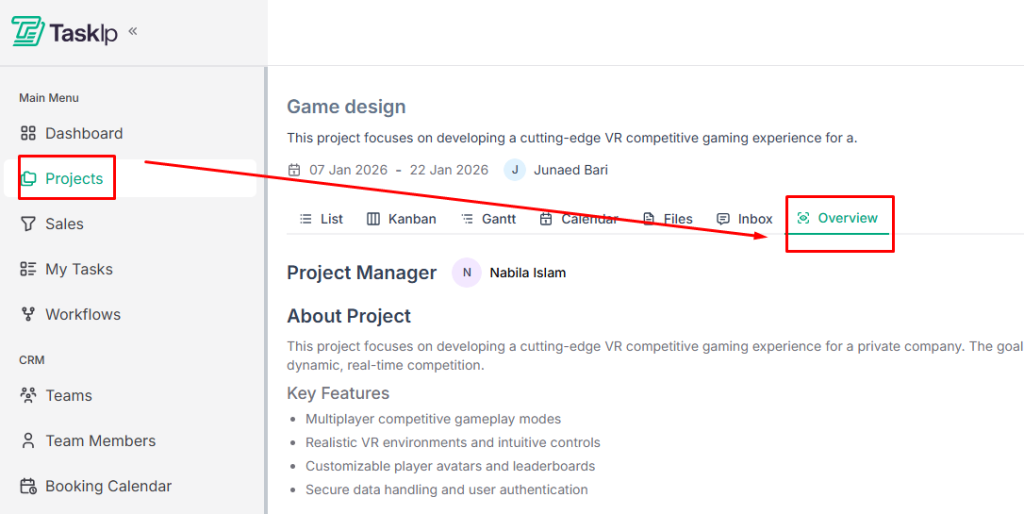
Accessing Project Overview #
- Open your project
- Click the Overview tab
About Project Section #
View task distribution across stages:
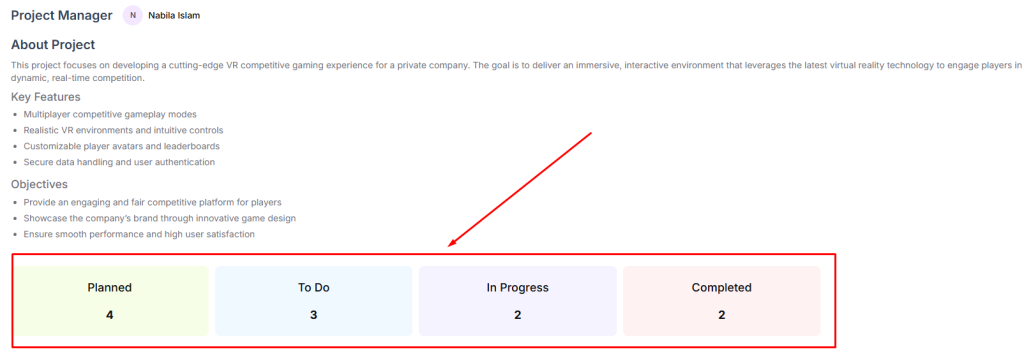
- Planned: Tasks scheduled but not started
- To Do: Tasks ready to begin
- In Progress: Tasks currently being worked on
- Completed: Finished tasks
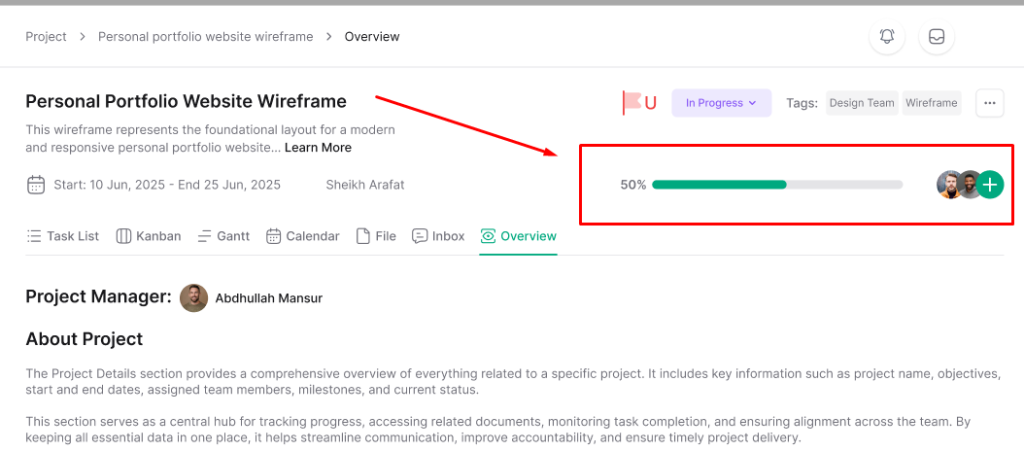
Progress Tracking #
- View overall project completion percentage
- See how tasks are distributed across statuses
- Identify stages with task backlogs
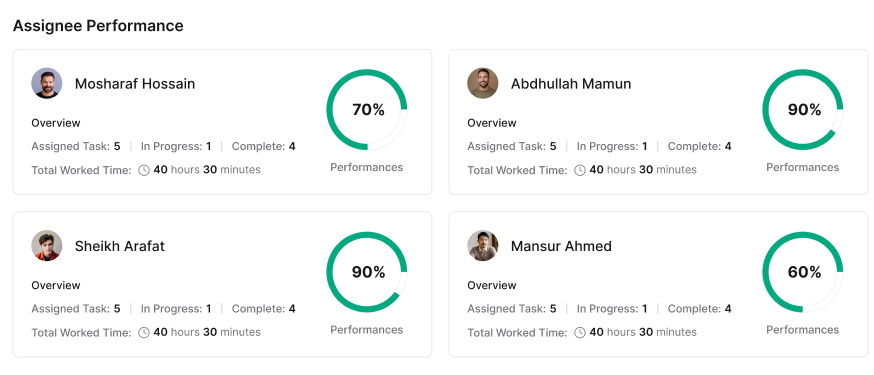
Assignee Performance #
- View individual team member productivity
- See task completion rates per assignee
- Identify workload distribution across the team
| 💡Tips Review the Overview dashboard regularly during project standups to quickly communicate project status and identify team members who may need support. |


