You can reset or change your Taskip password in two ways: from your profile settings if you are already logged in, or from the login page if you have forgotten your password.
Method 1: Password Reset from Taskip Profile #
If you are already logged in to your Taskip account, you can change your password from your profile settings.
Steps:
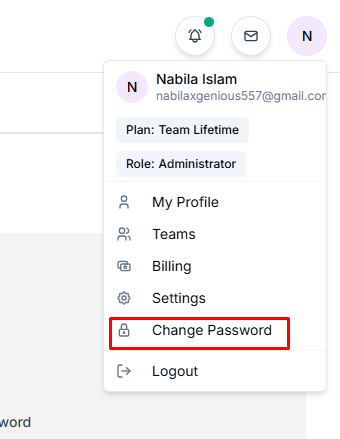
- Click the profile icon located in the top-right corner of the dashboard.
- Select Change Password from the menu.
3. Enter your current password for verification.
4. Enter your new password.
5. Confirm the new password.
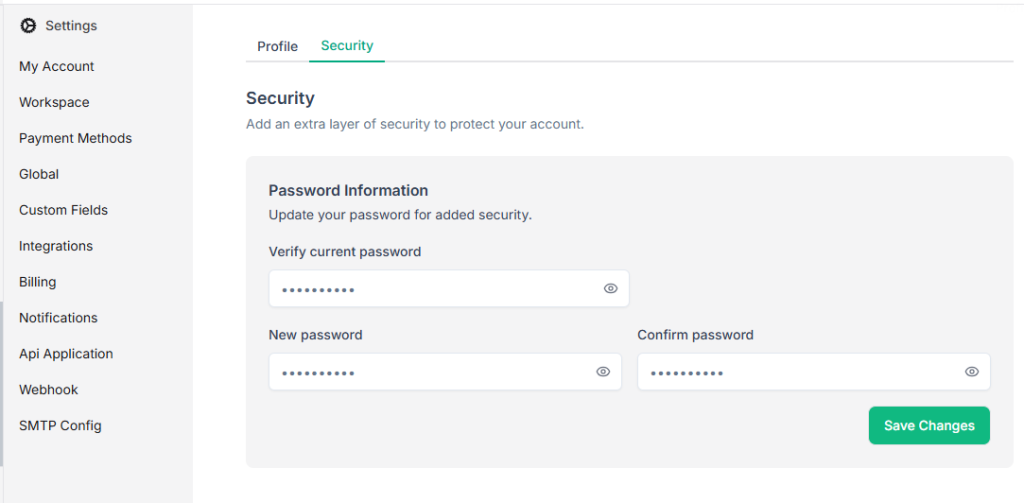
6. Click Save Changes to update your password.
Method 2: Reset Password From the Login Page #
If you forgot your password and cannot log in, you can reset it from the login page.
Steps:
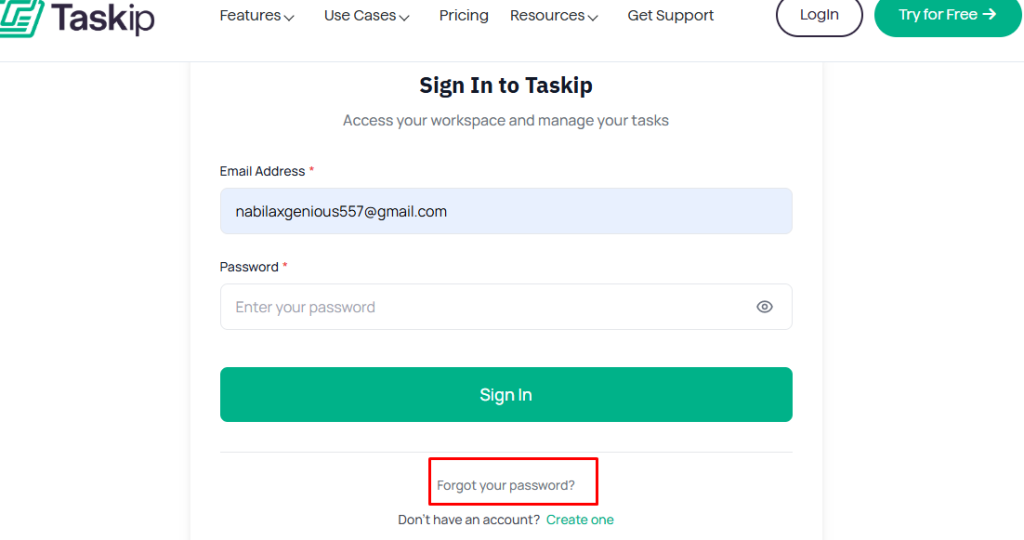
- Go to the Taskip login page.
- Click Forgot Password? below the login form.
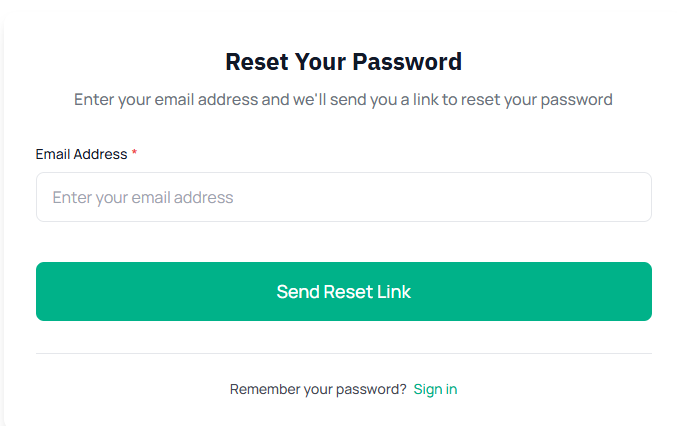
3. Enter the email address associated with your Taskip account.
4. Click Send Reset Link.
5. Check your email and open the password reset link.
6. Enter your new password and confirm it.
7. Save the changes and log in using your new password.


