You can update the details of any lead directly from your Taskip dashboard:
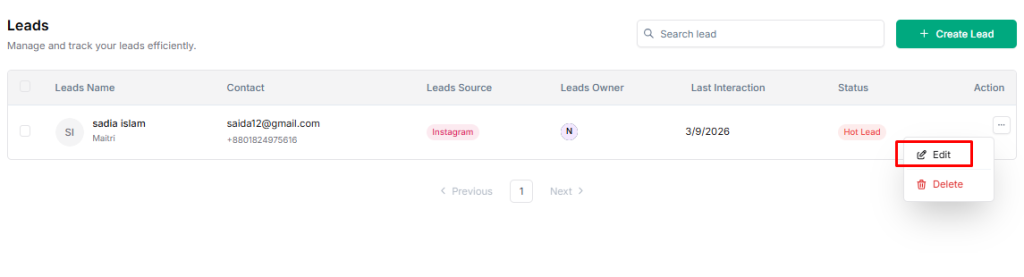
- Go to Taskip > Leads.
- Locate the lead you want to edit in the list.
- Click the three-dot button under the Action column on the right of the lead.
- Select Edit Lead from the dropdown menu.
5. Update the lead details, such as:
- Name
- Contact (Email/Phone)
- Lead Source
- Lead Owner
- Status
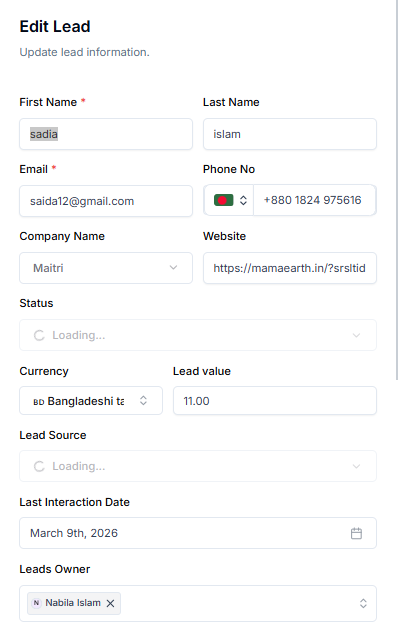
6. Click Save Changes to apply your updates.


