If you need to update the details of a service you offer, Taskip makes it quick and easy to edit your existing services. Follow these steps to make changes:
- Click on the three-dot action button on the right of the service you want to edit
- Select Edit Service
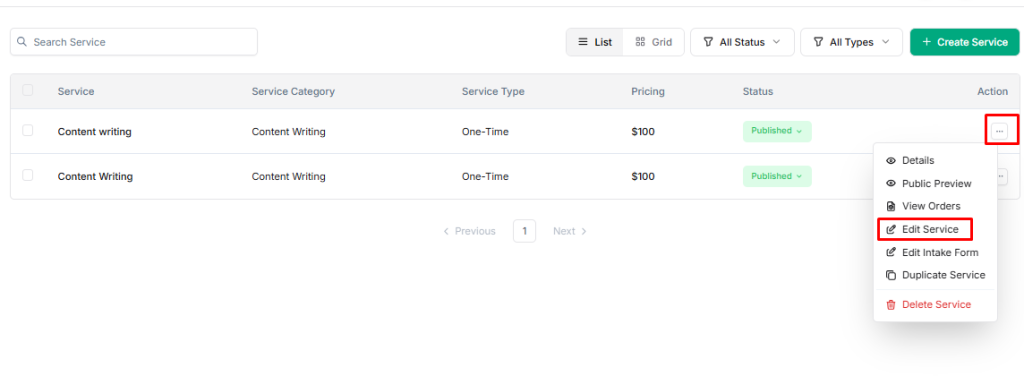
3. Click Edit Service
4. Make the necessary changes to the service details, such as:
- Service Name or Description
- Service Type or Category
- Pricing or Packages
- Image, Portfolio, or FAQs
5. Click Save Changes to apply updates


