The Billing section lets you securely manage your Taskip subscription, review usage limits, and track billing details.
From here, you can monitor your current plan, upgrade your subscription, and understand how your workspace resources are being used.
Navigation Path #
Settings → Billing
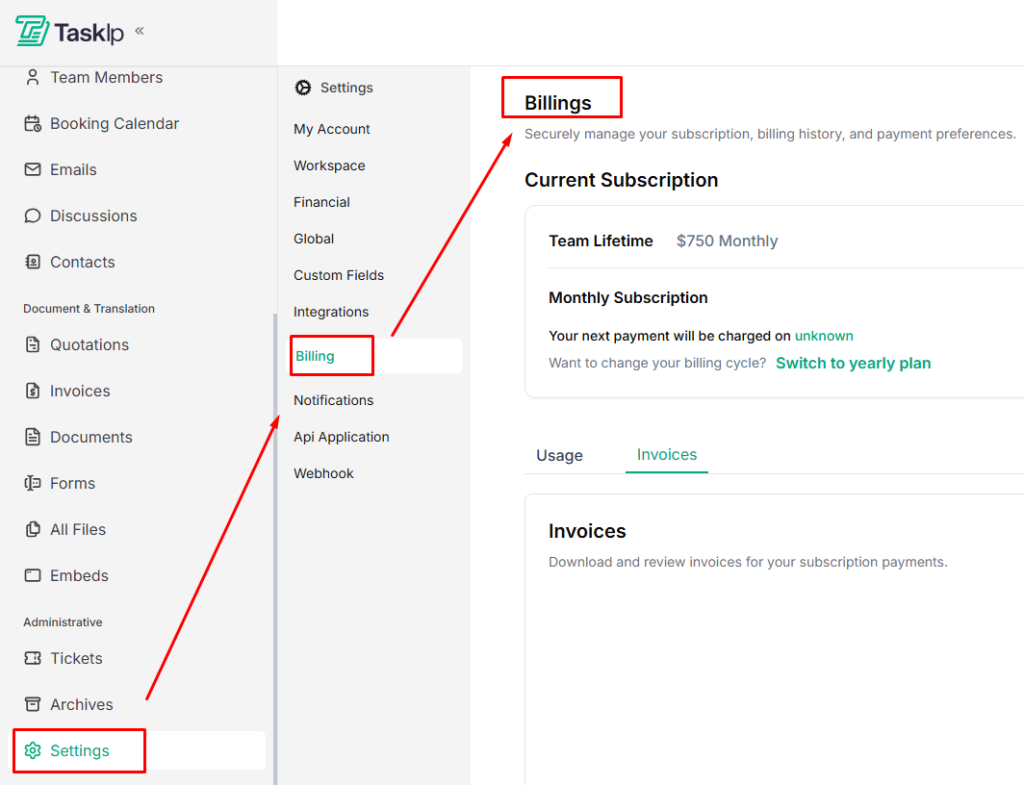
Current Subscription #
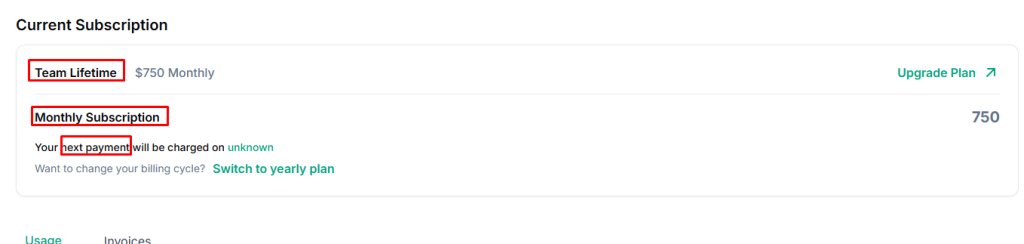
This section displays details of your active plan, including:
- Plan Name (e.g., Team Lifetime, Monthly Subscription)
- Price and billing cycle
- Next Payment Date (if applicable)
Change Billing Cycle #
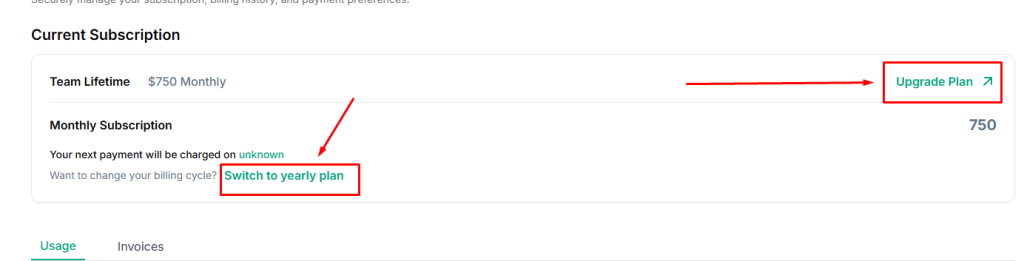
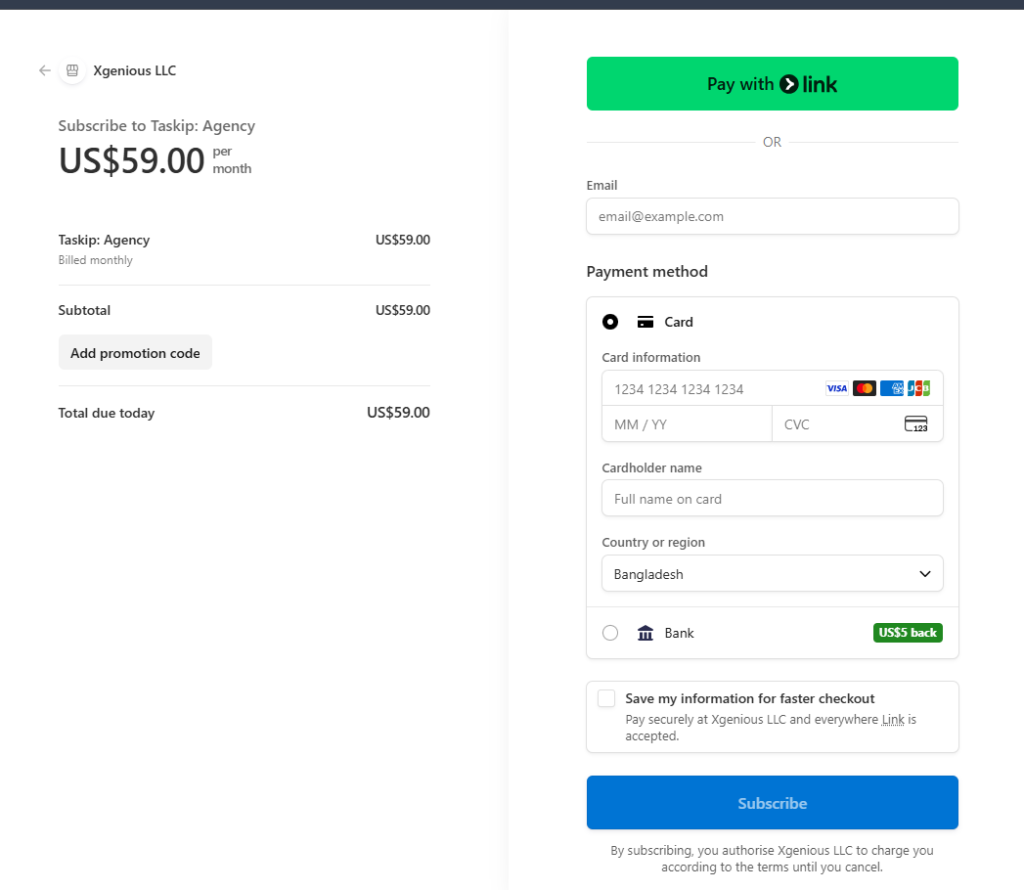
If you want to update how you’re billed, use this option to switch your subscription plan.
- Click Upgrade Plan to explore available options
- Click Switch to yearly plan (or monthly) to change billing frequency
- Select a plan or upgrade you want by clicking Choose Plan.
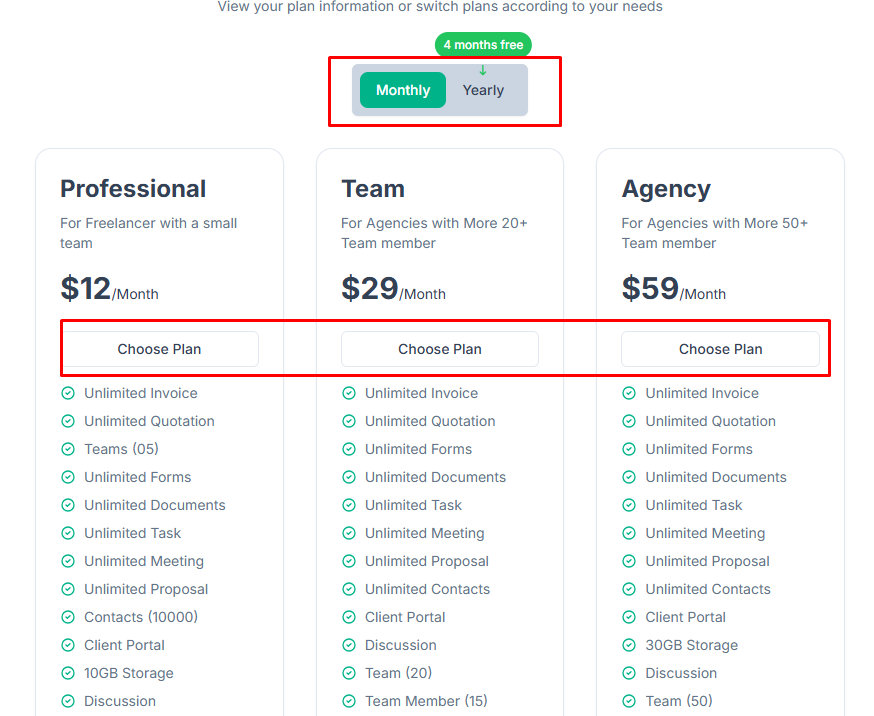
- Provide all the required information, complete payment, and click Subscribe for confirmation.
Usage Overview: Manage and Monitor Usage #
The Usage section provides a real-time overview of how much of your plan’s resources you’ve used and what remains available.
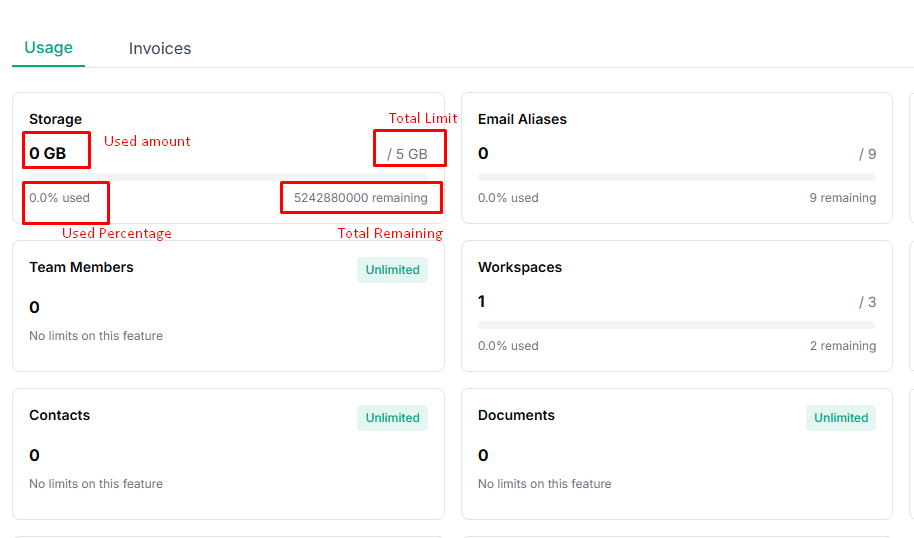
Each usage item displays:
- Used amount: What your workspace has consumed
- Total limit: Based on your subscription plan
- Usage percentage: How much of the limit is used
- Remaining capacity: Available resources left
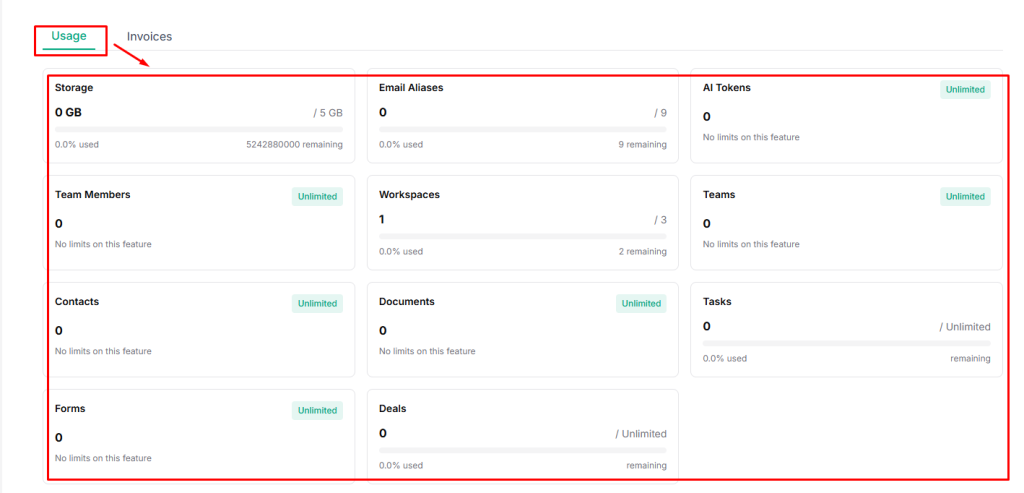
It includes:
- Storage: Shows total storage used and remaining space (e.g., 0 GB / 5 GB).
- Email Aliases: Tracks the number of email aliases created in your workspace.
- AI Tokens: Displays AI usage. Unlimited plans show no usage restrictions.
- Team Members: Indicates how many team members are added to your workspace.
- Workspaces: Shows the number of active workspaces versus the allowed limit.
- Teams: Tracks team creation and usage.
- Contacts: Displays the total number of contacts stored.
- Documents: Tracks documents created and stored.
- Tasks: Shows task usage for workspaces with task limits.
- Forms: Tracks form creation and usage.
- Deals: Displays deal usage and remaining capacity
Notes
* Features marked Unlimited have no usage limits.
* Usage updates automatically as your workspace grows.
* If you approach a limit, consider upgrading your plan to avoid interruptions.
Viewing Invoices #
You can access and manage your billing history directly from the Invoices tab.
- Go to the Invoices tab in Billing.
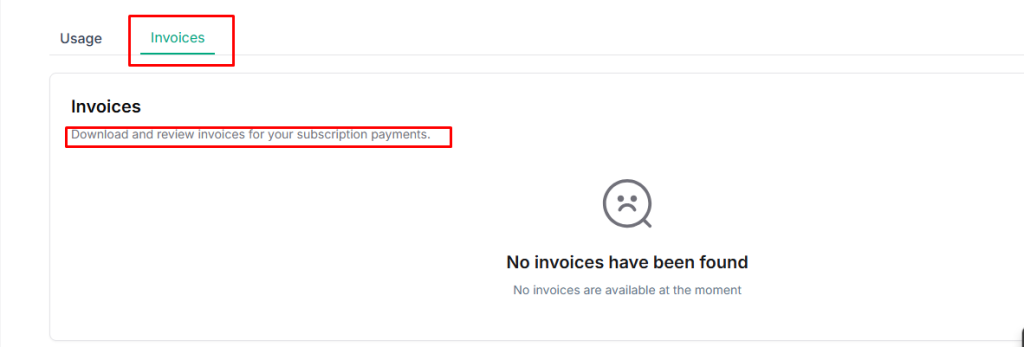
- View your complete invoice history
- Download invoices for your records or accounting purposes


