Webhooks allow your application to receive real-time HTTP notifications whenever specific events occur within Taskip. Instead of repeatedly polling the API for changes, you can configure webhook endpoints that Taskip will call automatically when a subscribed event is triggered.
This enables seamless integration with third-party services, automation platforms (such as Activepieces, Zapier, or Make), and your own custom applications.
Getting Started #
To access the Webhook Settings page, follow these steps: #
- Log in to your Taskip workspace.
- Click on Settings in the left sidebar menu.
- In the Settings sub-menu, click on Webhook.
- You will see the Webhook Settings page with a list of your existing webhooks (if any).
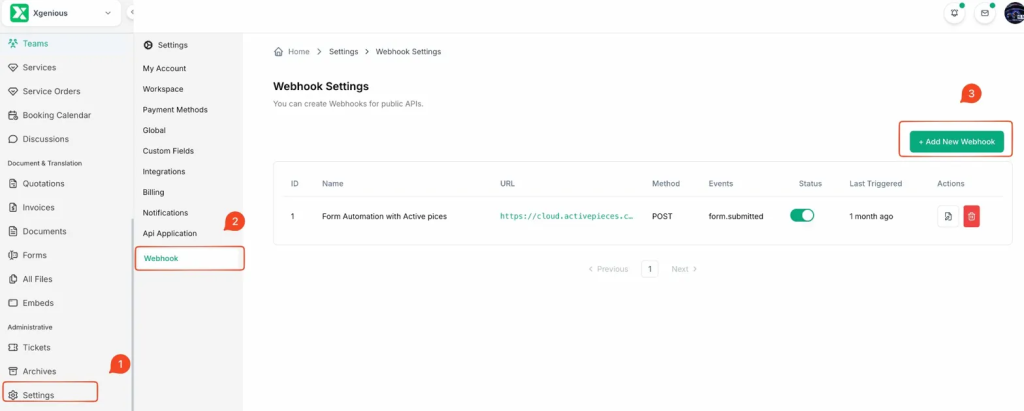
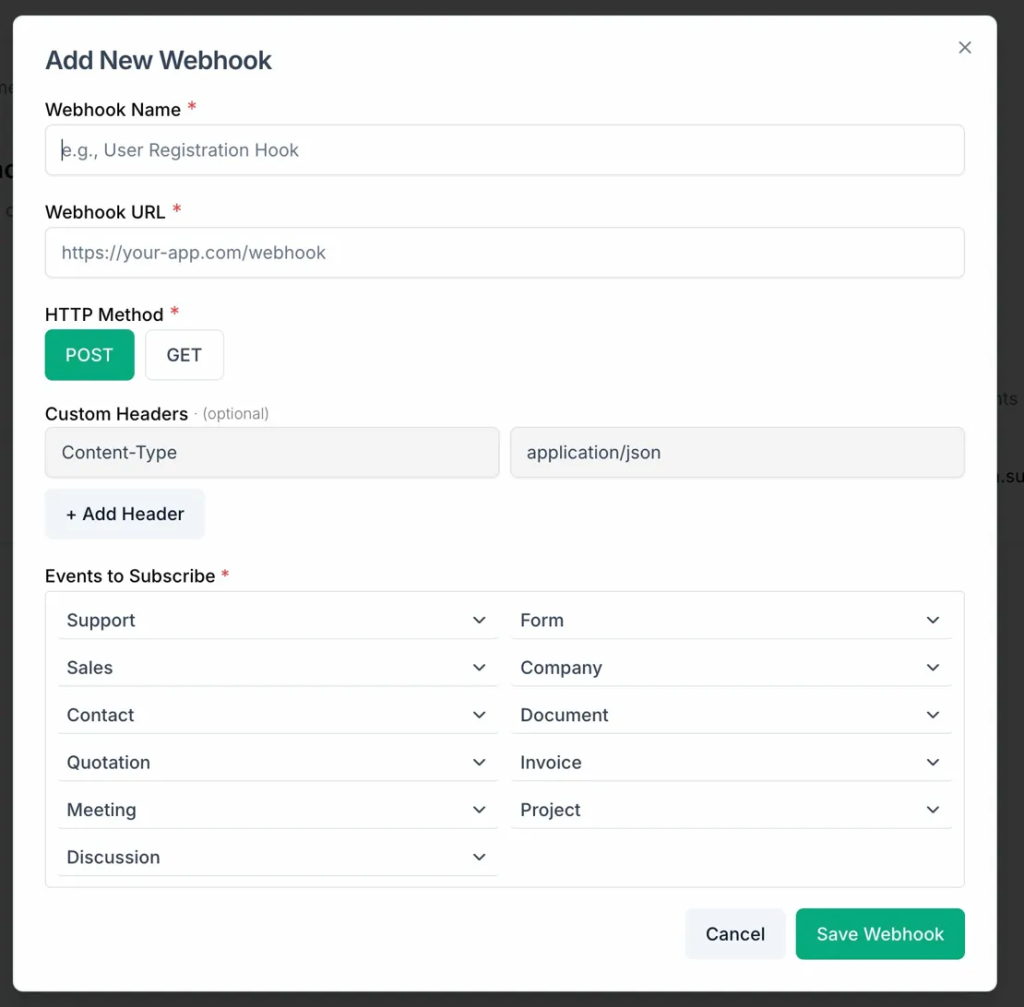
From this page, you can view all configured webhooks along with their ID, Name, URL, HTTP Method, subscribed Events, Status, and Last Triggered timestamp.


